
nnounce 2.0 Makes Devices Already in the Field More Capable
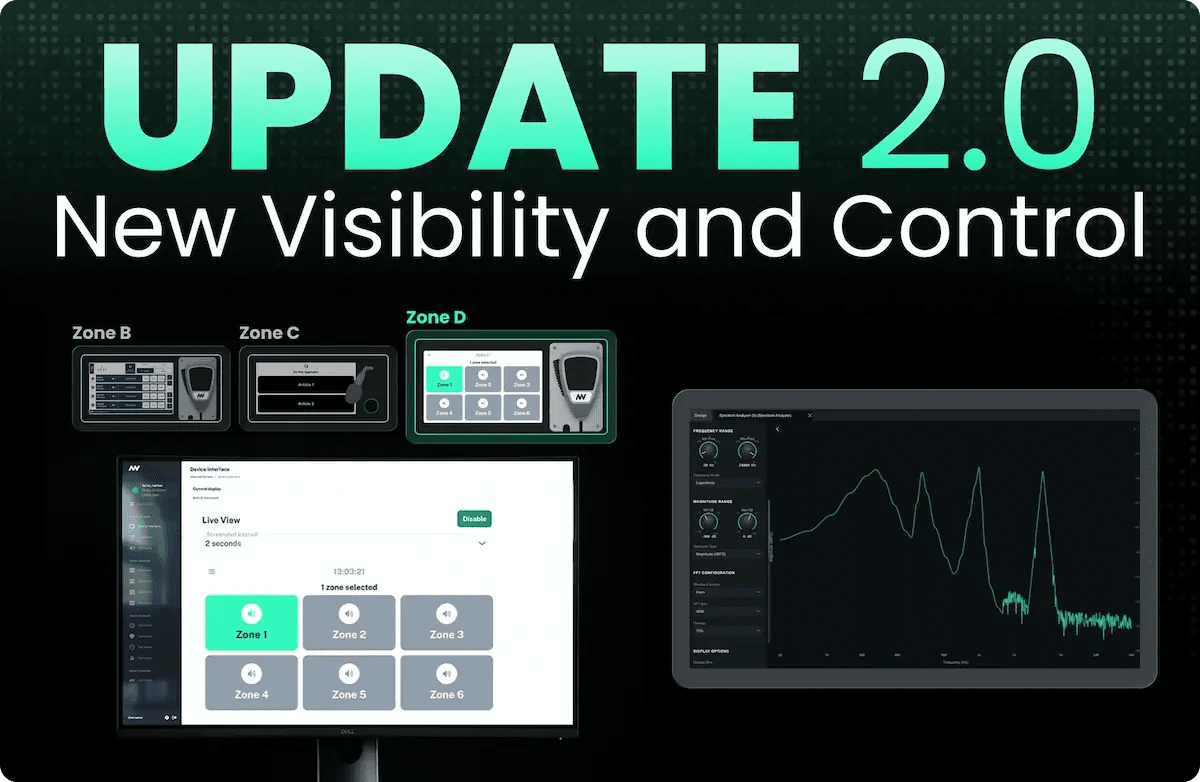
New visibility and control, from one firmware update.
Check any paging station screen from your desk, read the frequency spectrum inside DSP Designer, and turn a microphone station into a control point.
The nnounce platform keeps growing. Every release adds capability to hardware already installed, so a system commissioned last year does more this year without anyone touching the rack. That is the point of building the intelligence into the devices.
2.0 is a good example.
This update brings more visibility into what your devices are doing, and more control over what they do. You can check any paging station screen without leaving your desk. You can read the live frequency spectrum of any audio source inside DSP Designer. Configurable action buttons turn a microphone station into a control point. Scripts can now react to paging call state as it happens.
See Any Station Screen Live
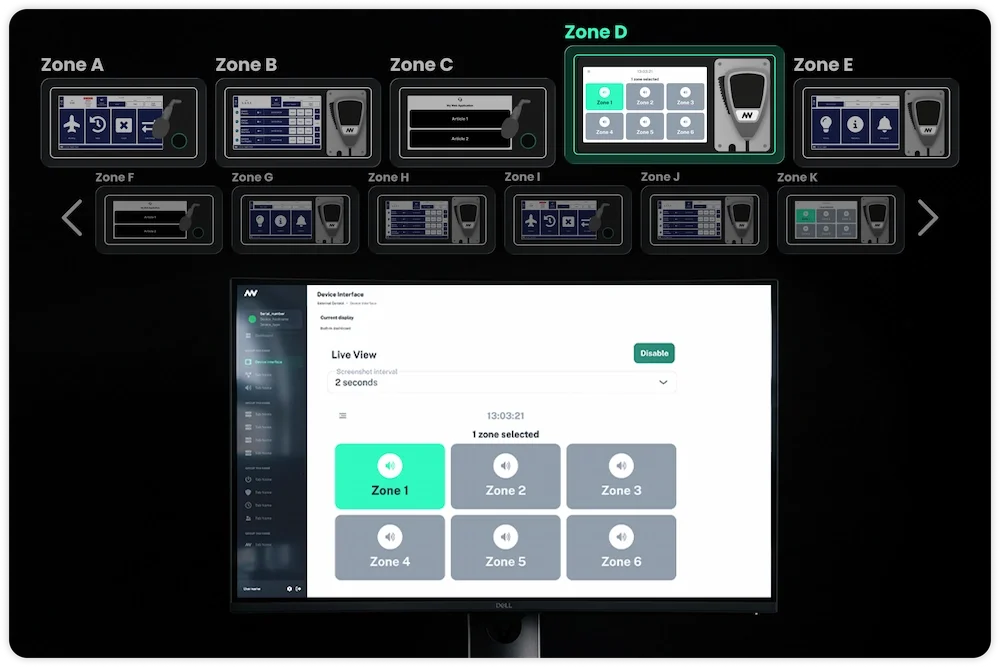
Live view shows you what is on a microphone station's display, inside the nnounce UI, from anywhere you can reach the system. Set a screenshot interval and the view refreshes on its own.
The point is maintenance. You are checking the state of a screen, not watching a room. Common cases:
A configuration push went out and you want to confirm the device interface actually loaded on every station.
A station is reportedly showing the wrong application, or nothing at all.
You are commissioning and want to verify each station renders correctly before handover.
On a large multi-zone site this is the difference between a walk-around and a click-through. Open Zone A, confirm the screen, move to Zone B, and keep going until you have checked every station in the building. From one screen. No travel, and no need to interrupt anyone at the station to look at it.
The saving scales with distance. If a station sits at a facility twenty or thirty minutes away, a check that used to cost an hour of driving now costs a few seconds.
Live view is available on micnode2h and micnode2g. See the device interface tutorial for micnode2h and micnode2g.
Spectrum Analyzer in DSP Designer
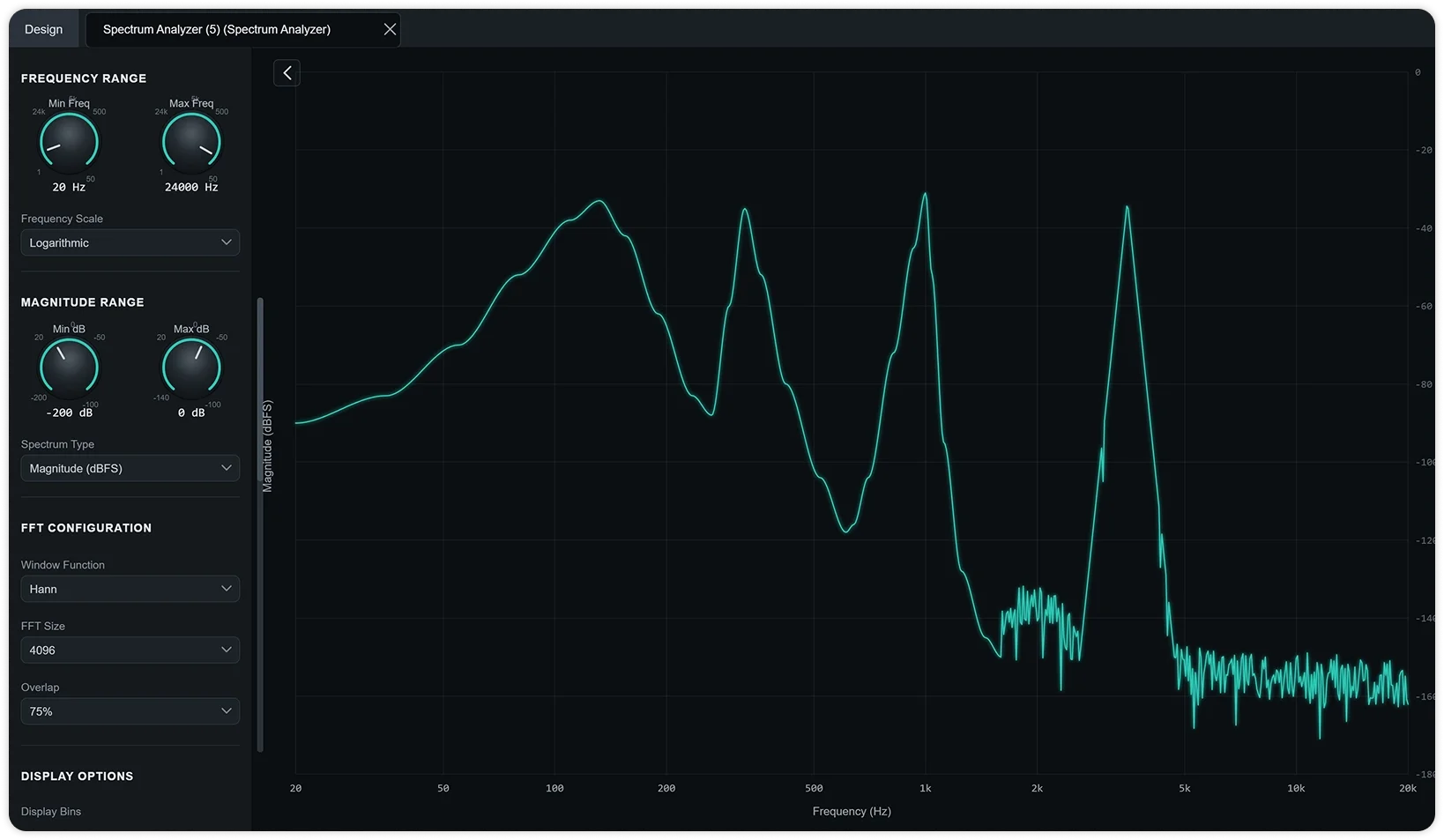
DSP Designer gets a new spectrum analyzer component. Connect it to an audio source, such as a microphone or a sine generator, and it shows that source's live frequency spectrum, meaning how much energy the signal carries at each frequency as the audio plays.
That turns guesswork into a reading. A feedback tone shows as a spike at a specific frequency, so you can notch it instead of sweeping filters by ear. A ground problem shows as a spike at 50 or 60 Hz with harmonics above it, which tells you the noise is electrical rather than acoustic.
FFT length, window type, overlap, averaging, and the choice between a linear and logarithmic frequency axis are all configurable. See the spectrum analyzer tutorial for setup.
Action Buttons Turn a Station Into a Control Point
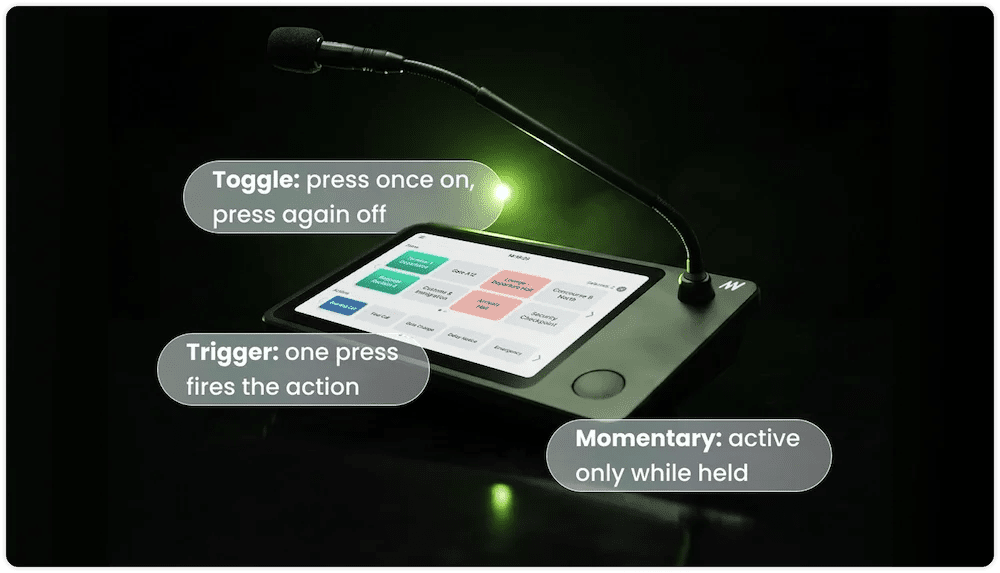
micnode2h and micnode2g now support configurable action buttons. A paging station stops being only a paging station. It becomes the panel someone uses to run the room.
Three modes cover most of what a station needs to do beyond paging, and they match how people expect physical controls to behave. Nobody has to press a momentary control twice or hold down a toggle.
nnounce devices are verified in the Q-SYS library, so a station's buttons can sit inside a wider Q-SYS design rather than operating in isolation. Control logic lives where the rest of the room's control logic already lives.
What Else Is New, and What to Check First
Scripts can now react to paging call state changes in real time, and the scripting API can hook into runtime change events. Power logging gains an on and off toggle. Audio stream quality and reliability improve, and stream statistics were redesigned for easier reading. Underneath all of it, core routing, audio streaming, and processing now run independently on each device rather than on a central appliance.
One item needs attention before you upgrade. A unicast TX stream must now be bound to either LAN A or LAN B, because the BOTH option is no longer allowed. Review any stream currently set to BOTH and pick an interface for it.
2.0 is available now for devices running 1.7. The full nnounce 2.0 release notes cover every feature, improvement, and fix in this release.